PROJECT 03 / EXCEL · VBA · REUSE
Excel Add-ins
Small reusable Excel tools that move recurring logic out of individual workbooks and turn macros into maintainable utilities.
The problem
A useful macro often begins inside one workbook. Then the same need appears in a second file, followed by a third. Copying the code works for a while, but every copy becomes another version to maintain, fix and explain.
At that point the problem is no longer the macro itself. It is distribution, consistency and the boundary between a document and a tool.
The approach
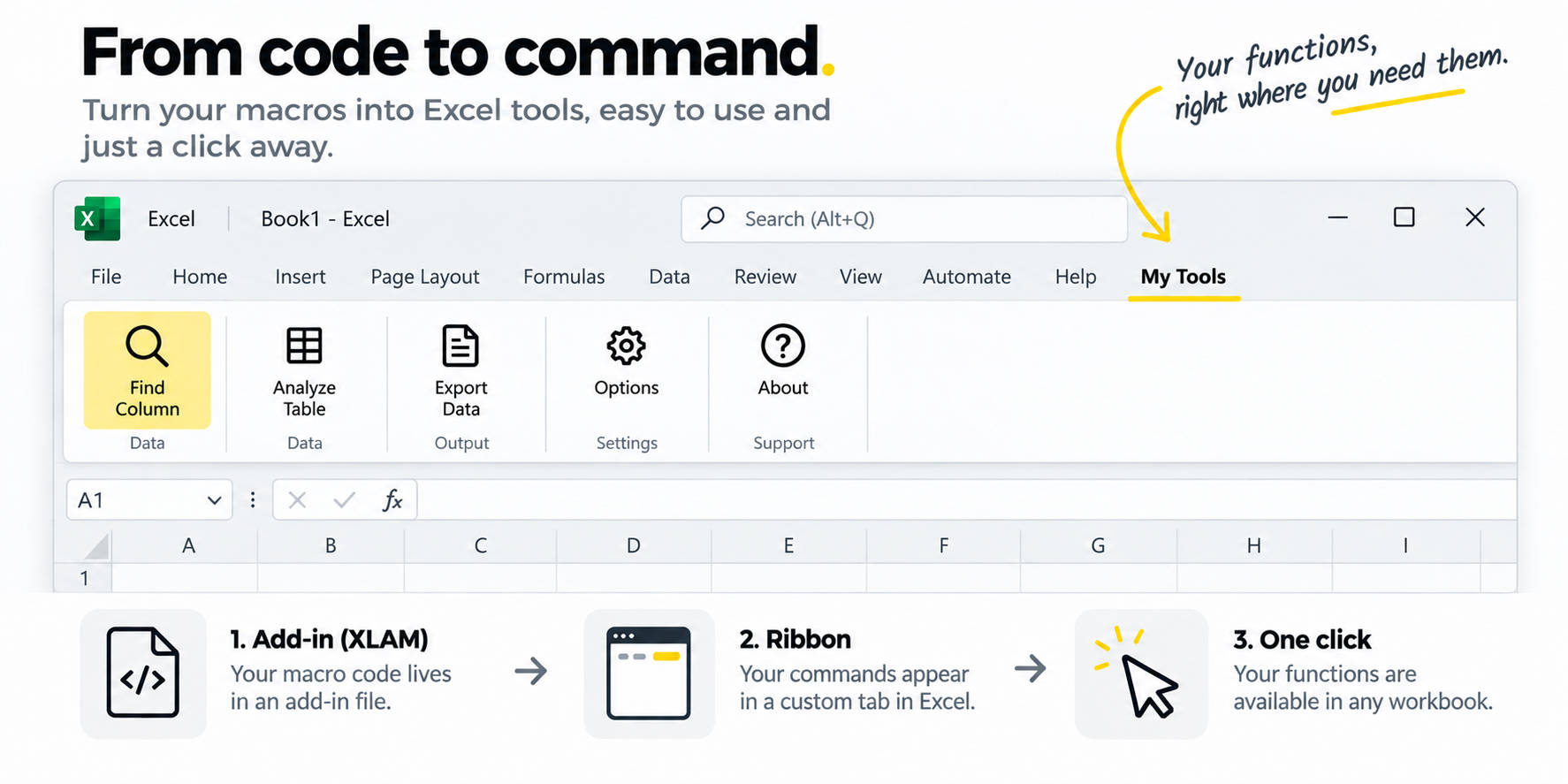
Reusable VBA logic is moved into an Excel add-in. The workbook keeps the data and the business context; the add-in provides commands that can operate on the active file. This keeps repetitive code in one place while preserving Excel as the interface users already know.
The most useful add-ins are deliberately narrow: they solve one recurring problem, expose a small number of commands and make assumptions visible instead of hiding them in a large framework.
What belongs in an add-in
- Formatting or inspection routines used across several workbooks.
- Query generators and diagnostic tools.
- Utilities that create standard output workbooks.
- Commands that depend on the active workbook but not on one specific file structure.
Result
The benefit is not only less duplicated code. A shared add-in creates one place to improve error handling, naming, logging and user interaction. Changes can be made once instead of chasing copies across old files.
What I learned
The right moment to extract a macro is when the same problem starts appearing independently of the workbook that first contained it. Reuse is a signal that the code has become a tool of its own.
Stack: Excel · VBA · XLAM